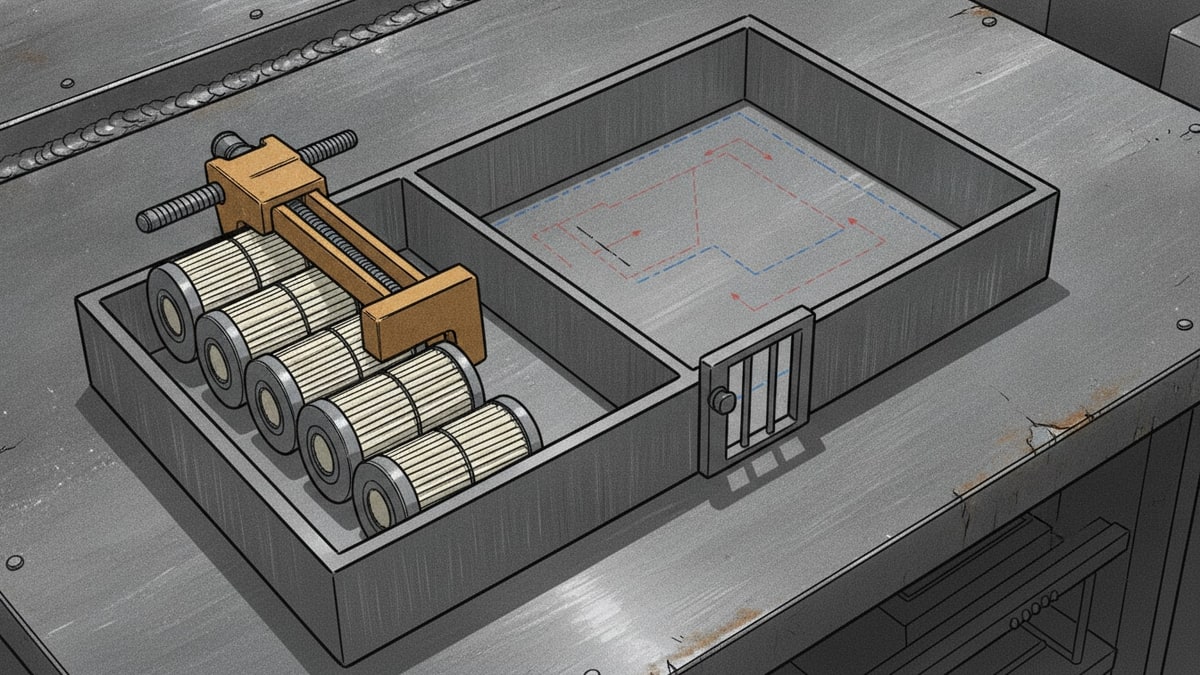
Tomorrow’s job needs three service filters. Van 1 has none left. Van 2 has five, but one is reserved and another is quarantined. The storeroom has eight, with six already promised to other work.
Do you move stock, buy more, or send someone to count it again?
For week 22 of our case-study series, we built a stock replenishment workflow for fictional Banksia Maintenance Services: one storeroom, three service vans and a small back office. Each van starts with a spreadsheet. The office maintains a master workbook and reconciles the gaps through messages and counts.
There is no inventory subscription to cancel in this scenario. The decision is whether to buy suitable software or build an owned stock operation that technicians and the office can use together.

Banksia Stock Desk brings the stock records, job consumption, transfers, purchase approvals, receipts and count corrections into one application. Xero remains the intended home for the financial ledger and payments. This build tests the accounting handoff locally; connecting Xero is a later step.
The screenshots follow the working application through separate user accounts, with browser actions checked against the resulting PostgreSQL records.
A stock operation needs more than a reorder button
A stock replenishment process begins before the shortage appears. It depends on knowing what arrived, what was used, what is reserved and which location actually holds the remaining units.
Automating a purchase from an unreliable total can make the wrong decision happen faster. Banksia needs a shared operating record first, with replenishment following from it.
| Role | Work demonstrated in the application |
|---|---|
| Field technician | Records usage against assigned jobs, requests replenishment and handles queued offline entries |
| Stock coordinator | Reviews location balances, reserves materials, dispatches and receives transfers, prepares purchases and records deliveries |
| Operations manager | Independently approves the coordinator’s purchase and stock-count adjustment |
| Bookkeeper | Reviews invoice discrepancies and releases a matched draft for accounting |
| Administrator | Reconciles the opening spreadsheet and explicitly activates its stock balances |
These are distinct authenticated sessions. The server checks their authority, including attempts to reach another role’s records or change another technician’s van.
The owned boundary is deliberately broader than one purchasing form. It covers the records needed to explain the physical stock. Full job scheduling, customer relationship management and customer invoicing sit outside it. Our inventory-stack analysis explores why those boundaries matter when spreadsheets become the connection between several tools.
Start with an opening balance people can explain
The administrator uploads a comma-separated values (CSV) file containing four opening counts for service filter FLT-100: eight in the storeroom, two in Van 1, five in Van 2 and none in Van 3.
The import stages and reconciles the rows before activation. It retains the source row numbers and a file fingerprint, so the opening record remains connected to its source.

Activation establishes fifteen physical filters. Repeating that activation later does not overwrite subsequent movements or create the opening stock twice.
For a real spreadsheet transition, someone must still agree the physical counts, resolve part aliases and decide when the old workbooks stop accepting changes. Importing a file is only one step in taking responsibility for its records.
Give technicians a short path from job to stock movement
The technician uses the two filters reserved for JOB-221. The application records the consumption and reloads Van 1’s balance from the server: zero filters remain.

Mobile work is separated into Van stock, Job entry and Sync queue. The technician can find a part, record a quantity against an assigned job and see whether it was confirmed. They can also request the three filters needed for JOB-222; that request becomes visible in the office.
A request does not mean the parts have been purchased or delivered. Keeping those meanings separate is essential to a usable inventory management workflow.
Offline entries must survive—and still be checked
The browser test takes the technician offline, queues usage of a separate service-seal part and reloads the application. The queued entry survives.
Another authenticated session consumes that last seal before the first device reconnects. When the original entry is retried, the server refuses it because the stock is no longer available. The queue keeps it visible for office review.

This is a useful failure. The app preserves the technician’s entry without silently allowing negative stock. The test also repeats an already accepted command and confirms that it has no second stock effect.
Offline authority is narrow: assigned-van usage and unused returns can be queued. Replenishment requests require a connection, and the queue does not grant permission to approve purchases or write accounting records.
Transfer the three usable filters before buying for the van
Van 2’s five filters are not five available filters. One is reserved for JOB-223 and one is quarantined, leaving exactly three that can move to Van 1.
The coordinator dispatches those three units. Van 2’s physical balance decreases, while Van 1 shows them in transit. They become stock at the destination only after a separate receipt action.

Once received, those filters are reserved for JOB-222. Van 1 now holds three filters physically, with zero available for another job.
The stock replenishment workflow steps follow the actual movement:
- Read current stock alongside job demand and existing commitments.
- Exclude reserved and quarantined units from available quantities.
- Choose a transfer where another location has usable stock.
- Record dispatch and receipt as separate events.
- Reserve received material for the job that needs it.
- Prepare any remaining purchase for independent approval.
That is a practical stock replenishment workflow template: identify the event, the responsible person and the record that proves it happened. A single “replenished” checkbox cannot distinguish a part in a van from one still travelling to it.
An approved order is not a full storeroom
The storeroom holds eight filters, six of which are reserved for JOB-224. Its available balance is two. With a target of twelve available, the coordinator prepares an order for ten filters—two supplier packs of five.
A separate manager reviews and approves that exact purchase revision. The order value is A$200 excluding tax.

The supplier delivers only one pack. The coordinator records five received against delivery DEL-2201, leaving five outstanding.

The storeroom’s physical balance rises to thirteen. The other five units remain on order and unavailable for use.
This is where stock replenishment automation has to respect separate events. Approval authorises a purchase. Receipt changes physical stock. A reorder workflow that treats the ordered quantity as already available hides the very shortage it is meant to resolve.
Match the invoice before the accounting handoff
The supplier invoice initially claims ten filters, even though only five have arrived. The application holds the handoff for review. The bookkeeper then records the corrected five-unit invoice, checks the supplier and accounting mapping, price and tax, and explicitly releases the draft.

Repeating release keeps the original delivery record without creating a second draft. The browser test verifies that result.
Xero’s invoice types and statuses distinguish accounts-payable invoices and draft status. That supplies the intended integration boundary: a reviewed draft bill, with financial authorisation and payment remaining in Xero.
The stock application also needs accountant-reviewed treatment of stock valuation and costs before production use. A successful draft-bill handoff alone would not establish complete inventory accounting.
Finish with a count that preserves the history
The coordinator counts twelve filters in the storeroom, against a recorded thirteen, and proposes a one-unit shortage with a reason. A different person—the operations manager—approves the adjustment.

The stocktake workflow retains the difference and its actors. Correcting the balance does not erase the earlier receipt or purchase.
At the end of the browser journey, the database confirms:
| Location | On hand | Reserved | Quarantined | Available |
|---|---|---|---|---|
| Storeroom | 12 | 6 | 0 | 6 |
| Van 1 | 3 | 3 | 0 | 0 |
| Van 2 | 2 | 1 | 1 | 0 |
| Van 3 | 0 | 0 | 0 | 0 |
The physical total reconciles: 15 opening − 2 consumed + 5 received − 1 count adjustment = 17 filters. Nothing remains in transit; five purchased units are still outstanding. Reservations explain availability without changing the physical total.
That reconciliation is the result worth inspecting. It connects the technician’s job entry to the office’s purchasing and count decisions.
What we built, and the technologies behind it
SwarmCraft structured the work into a 65-task project spanning stock records, access, workflows, integrations, interface design and operating support. Codex implemented the board, followed by repairs, visual refinement and consolidated verification.

This is the initial board. The final build manifest records all 65 tasks in Done.
| Project measure | Recorded result |
|---|---|
| Final task board | 65 tasks in Done |
| Resumed build segment | 60 tasks processed through 60 Codex requests, in approximately 2 hours 2 minutes |
| Application evidence | Nine authenticated application captures plus one design-system workbench capture |
| Connected story | Browser actions, PostgreSQL readback, role denials, offline conflict and duplicate-command checks passed |
| Interface verification | 21 web component tests, 26 browser regressions and 15 workbench checks passed |
The resumed segment is only part of the work. Its request count and duration exclude earlier attempts and the later repairs and design revisions; complete cost telemetry was unavailable. Per-task checking and reviewing were disabled during that build run.
Board completion did not establish a usable application. We repaired dependency and routing problems, connected authentication and persistence to the workflow screens, and exercised the complete story. We then revised the presentation after visual review and recaptured it. Those steps belong in the account of what it took to reach this result.
| Implemented technology | What it does here |
|---|---|
| React, TypeScript and Vite | Desktop back-office screens and the responsive mobile web interface |
| Progressive web application (PWA) shell | Service-worker caching allows the application shell to reload offline; this is a web app, not a separate native mobile build |
| Browser local storage | Persists assigned-van data and queued technician commands across reloads in this pilot; logout clears that business data |
| Node.js and TypeScript | Runs the application programming interface (API), permissions, stock commands and accounting adapter on the server |
| PostgreSQL with sixteen versioned migrations | Stores stock records, workflow decisions, sessions, audit history and handoff state |
| Shared React design-system package and Storybook | Supplies reusable interface components and a separate workbench for reviewing them |
| Playwright | Drives real browser actions and verifies outcomes, accessibility and narrow layouts |
The connected story uses Chromium, including a mobile viewport. Separate regression checks also run in mobile WebKit. These do not establish installation, camera behaviour or reliable operation on physical field devices.
A small upgrade to how we build interfaces
We have expanded SwarmCraft’s design-system work so a project can establish its visual foundations, reusable components and composed workflows explicitly. That includes the branding, typography and colours, alongside forms, guided wizards, review panels, timelines and recovery states.
Banksia puts that direction into practice with a shared React package and a runnable Storybook workbench. The application uses the same controls shown in the workbench, rather than treating the design guide as a separate picture to reproduce.

The Storybook workbench brings the brand proposals, shared controls and workflow patterns together for review.
The ink, cobalt and ice palette, with a restrained coral accent, gives the mobile and office screens a common identity. Two original logo concepts remain visible for comparison. The parts-bin mark is the current application proposal.
Visual judgement still mattered. The first screens passed functional checks but needed clearer hierarchy, shorter mobile flows and better grouping. Reviewing the composed application led to the revised screens shown here. The design system gives those improvements a shared home as the product develops.
When buying inventory software is the better answer
An owned application is one option for leaving spreadsheets. Existing software may already provide the operating fit, implementation support and maintenance arrangement the business needs.
For example, Odoo’s replenishment report uses reordering rules, lead times and upcoming demand to suggest replenishment. Forecasting and reorder suggestions alone are not a reason to build.
Our inventory management software comparison covers the buying options, and inFlow Inventory alternatives examines a more focused shortlist. Take this same three-van journey into a demonstration: reserved stock, a transfer, a partial delivery, an invoice mismatch and a count correction. Assess how comfortably the people doing the work can complete it.
Compare the subscription and implementation quote with the full responsibility of ownership: hosting, identity, device support, integration, recovery and ongoing maintenance. There are no measured savings or displaced inventory licence fees in this experiment.
The local build also leaves concrete next work: real source-data mapping and cutover, production identity and deployment, physical-device testing, supplier returns and damaged-delivery handling, a demonstrated restore process, and the authorised Xero connection. The verified journey covers the defined filter-and-pack example; it does not establish every proposed production requirement.
Own the stock decision you can explain
Artificial intelligence (AI) helped build this software. No live AI model decides the stock quantities, approves the purchase or releases the bill in the demonstrated operation. Those actions use explicit rules and accountable people.
The useful outcome of inventory workflow automation is that a technician and the office can explain the same stock position. Three filters are committed to tomorrow’s job. Five are still due from the supplier. One shortage has a recorded, independently approved correction.
To automate stock replenishment, begin with that shared explanation: where stock lives, what makes it available, who may move it and what evidence closes each handoff.
If your spreadsheets, roles and migration questions need that review, Deep Discovery can help investigate the appropriate ownership boundary. It remains a limited, account-enabled rollout. Start with one part, one upcoming job and the people who currently reconcile the difference.