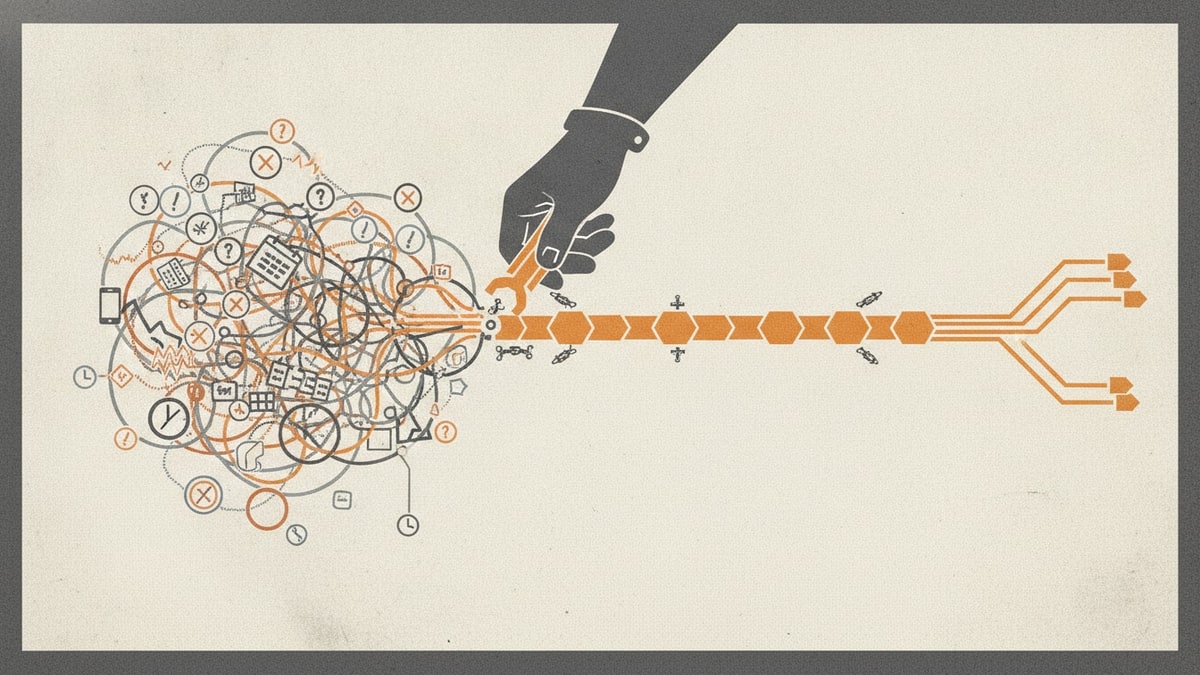
Why time-tracking subscriptions pile up when approvals stay messy is easy to misdiagnose. A team sees timers, attendance apps, monitoring tools, project timesheets, payroll exports, billing reports, spreadsheets, and approval messages, then concludes that it has too many software tools.
The tool count is only the visible symptom. The deeper problem is that no owned operation can answer a more important question: which version of a person's time is the current approved record, and how did it become authoritative?
One system may know when a timer ran. Another knows the scheduled shift. A project tool holds a billable code. A manager approved a spreadsheet. Payroll imported a CSV. Finance corrected the invoice later. Each surface contains part of the story, but none owns capture, validation, submission, correction, approval, locking, downstream delivery, and reconciliation as one controlled lifecycle.
That is how time-tracking SaaS sprawl grows. Organisations keep purchasing a local answer to the next visible failure while the complete time record remains unowned.
Why time-tracking subscriptions pile up when approvals stay messy
The first time-tracking product often solves a real capture problem. People need a timer, kiosk, mobile clock, calendar reconstruction, desktop activity signal, or weekly timesheet. The second product usually solves a different consequence of the same hours: payroll preparation, project costing, client billing, attendance, utilisation, or reporting.
The stack then expands around the handoffs between them:
- A worker records time in a timer, kiosk, calendar, mobile app, or project tool.
- The capture surface assigns a person, date, duration, project, task, location, activity, or shift.
- A schedule, contract, project plan, cost code, billing rule, or working-time policy determines whether that entry is complete and permitted.
- The worker reviews the period, fills gaps, explains exceptions, and submits a version.
- A manager approves, rejects, delegates, or asks for a correction.
- Payroll, finance, project, or client owners apply their own checks.
- An approved version is locked and projected into payroll, billing, accounting, project reporting, or analytics.
- A downstream system accepts, rejects, partially imports, or changes that projection.
- Late evidence, a disputed entry, a changed code, or a calculation issue causes a correction.
- The organisation must reproduce the original record, the reason for change, the replacement version, its approvals, and the reconciled downstream result.
Every missing transition invites another subscription, integration, spreadsheet, reminder channel, or dashboard. The result is not merely SaaS bloat. It is one record lifecycle distributed across products that use different identities, states, clocks, codes, permissions, and definitions of “complete.”
One hour can mean six different things
Software visibility at the application level does not reveal whether two tools duplicate each other. The audit has to follow what each record means.
| Record or signal | What it can establish | What it cannot establish by itself |
|---|---|---|
| Scheduled time | When someone was expected to work | Whether they worked those hours or under which code |
| Clock or timer event | When a capture mechanism started and stopped | Whether all captured time is valid, payable, or billable |
| Calendar or activity signal | Evidence that may help reconstruct time | Consent, purpose, accuracy, or an approved time record |
| Draft entry | A person's current account of work | That required checks or approvals have occurred |
| Submitted period | The version presented for review | That it is approved, locked, exported, or reconciled |
| Approved time record | The accepted current version for the owned operation | That every downstream system successfully processed its projection |
| Payroll projection | The approved fields required by payroll | The payroll calculation, payment, tax, or statutory payroll record |
| Billing projection | The approved fields required for invoicing | The final invoice, revenue recognition, or accounting entry |
These distinctions matter because “time” is not one interchangeable fact. Worked, attended, captured, productive, payable, billable, planned, submitted, and approved time can legitimately differ.
A trustworthy operation preserves those meanings instead of forcing them into one ambiguous duration. It can show that a seven-hour approved record was informed by an eight-hour schedule, a six-hour timer, a manual correction, an unpaid break, and a manager decision without pretending that every input was equally authoritative.
Where ownership breaks across the time stack
Tool sprawl appears wherever a responsibility has no explicit owner or two products both claim it.
| Responsibility | Common fragmentation | Required ownership decision |
|---|---|---|
| People and engagement facts | HR, contractor, identity, and time tools disagree on managers, status, location, or working patterns | Name the source and retain only the facts required for the time decision |
| Periods and policies | Cut-offs, breaks, overtime, rounding, permitted codes, and approval routes live in product settings and private spreadsheets | Version the policy applied to each record |
| Capture evidence | Timers, kiosks, mobile events, schedules, calendars, monitoring, and imports overlap | Preserve provenance and define how each signal may be used |
| Coding | Project, task, client, cost centre, pay code, and billing code mappings drift | Validate against dated permitted values and retain the mapping used |
| Submission | Email, chat, spreadsheets, and product buttons all imply “done” | Create one submitted version with a clear cut-off |
| Approval | Different managers approve attendance, pay, project cost, or billing | Define the authority and purpose of each decision |
| Correction | People overwrite entries, reopen periods, or send deltas outside the system | Create a new version with reason, evidence, authority, and links to the prior version |
| Downstream delivery | CSVs and integrations write to payroll, billing, accounting, and reporting | Send the approved projection idempotently and record acknowledgement or rejection |
| Reconciliation | Operators compare totals manually after the handoff | Prove that accepted downstream results match the approved source version |
| Retention and access | Copies survive in inboxes, drives, exports, and retired products | Apply deliberate access, retention, legal-hold, export, and deletion controls |
Without those decisions, software consolidation becomes a licence exercise. Removing an app may reduce recurring software costs while leaving the same missing control in email. Adding an integration may move data faster while making the source of truth harder to identify.
The real cost is not the timer subscription
SaaS spend management can identify renewals, owners, licence counts, and unused seats. That is useful, but it cannot reveal the operational cost of a fragmented time record.
Duplicate capture and reconstruction
People enter the same hours into a project tool, payroll timesheet, client portal, and spreadsheet. Others reconstruct a week from calendars, messages, browser history, or desktop activity because the official record was not useful at the point of work. This is software waste even when every licence is active.
Approval chasing
Managers receive reminders from several systems but cannot see which submission supersedes another, whether an exception is material, or who can act when an approver is absent. Payroll or billing deadlines turn incomplete state into chat escalation and spreadsheet triage.
Coding drift
Project names, task codes, pay codes, cost centres, client references, and billable categories change independently. An entry can be valid in the capture tool but rejected downstream, or accepted under a stale code that produces the wrong commercial result.
Correction loops
A late entry or disputed break is edited after approval. One system overwrites the original, another receives a delta, and a third retains the first export. The current total may look correct while nobody can reconstruct which version informed a payment or invoice.
Payroll and billing mismatch
Payroll, billing, project reporting, and accounting do not necessarily need the same fields or rules. Problems begin when each destination silently becomes its own version of the time record. Operators compare totals rather than reconciling identifiable projections from one approved version.
Reporting without shared meaning
Utilisation, attendance, productivity, labour cost, project margin, and invoiced hours can all be calculated from different populations and states. A dashboard does not resolve the disagreement if its numerator contains drafts while another report contains approved time.
Personal-data duplication
Schedules, location, device activity, screenshots, application usage, notes, rates, and correction reasons spread across products with different permissions and retention rules. The UK's Information Commissioner's Office explains data minimisation as ensuring personal data is adequate, relevant, and limited to what is necessary for its purpose. That is a useful design discipline beyond any one product: collect the minimum permitted evidence needed for the time decision, not every signal a device can produce.
History that cannot be reproduced
The most serious failure is often discovered later. A worker, client, payroll operator, auditor, or regulator asks why a historical amount was accepted. The organisation has a current total but cannot recover the original evidence, policy version, corrections, approval, export, acknowledgement, and downstream result.
Recordkeeping is global, but the rules are not universal
The need for a controlled record is not an Australia-only concern. Official guidance illustrates how requirements differ:
- Australia's Fair Work Ombudsman describes time and wage records that generally must be kept for seven years and must not be changed except to correct an error.
- The United States Department of Labor's FLSA recordkeeping guidance identifies employee, hours, and wage information covered employers must retain, including hours worked each day and workweek.
- The United Kingdom's minimum-wage employer guidance requires records that demonstrate minimum-wage compliance and describes the applicable retention period.
These are examples, not a universal checklist or legal advice. The relevant obligations depend on the worker, engagement, location, sector, agreement, purpose, and downstream consequence. An owned time operation must make those policies explicit and versioned rather than relying on a generic “compliant” setting.
Global operation also means preserving local meaning. A break, overtime threshold, rounding rule, attestation, correction route, approval authority, record-access right, or retention period may vary. The record should show which rule applied at the time instead of recalculating history under today's configuration.
Why more automation can make the record less trustworthy
Automation is valuable when it moves a known record through explicit states. It is dangerous when it guesses what the state should be.
A fragile integration can:
- copy a stale manager or project code into every new period
- turn schedule or activity evidence into worked time without worker review
- auto-approve entries because no exception was detected
- route an approval to the wrong authority after an organisational change
- overwrite a correction instead of creating a new version
- export a period twice after a timeout or retry
- mark delivery complete when only some downstream rows were accepted
- reopen an approved period without invalidating its earlier projections
- train a model on monitoring data collected for a different purpose
- summarise an exception without preserving the evidence behind it
AI can help classify correction requests, identify missing fields, explain policy, compare totals, propose mappings, draft exception summaries, and prioritise review. It should not silently decide that someone worked, convert monitoring into a productivity judgement, invent a missing code, approve its own inference, or erase the evidence needed to challenge the result.
The safe pattern is proposal, evidence, policy, authorised decision, durable transition, and reconciliation. Confidence scores and fluent explanations do not replace those controls.
What time-tracking software consolidation should create
Application consolidation should not aim for one giant product that owns every employment, payroll, project, accounting, and billing concern. It should create one coherent time-record operation with deliberate boundaries.
That operation can replace the authoritative time record when it owns:
- people and engagement references required to interpret time, with dated source provenance
- periods, cut-offs, calendars, policy versions, permitted codes, and approval routes
- manual, timer, kiosk, mobile, calendar, schedule, monitoring-assisted, API, and imported capture where the operating model requires them
- raw evidence and its purpose without confusing evidence with approved time
- draft entries, attestations, validation, exceptions, submission, rejection, delegation, and escalation
- immutable versions, correction reasons, supporting evidence, supersession, locks, and controlled reopening
- distinct attendance, payable, project, cost, and billable interpretations where required
- role-based access, retention, legal holds, subject access, export, and deletion rules
- approved projections to payroll, billing, accounting, project, ERP, or reporting systems
- idempotent delivery, acknowledgements, rejects, retries, partial failures, and reconciliation
- an append-only audit history showing who or what changed state, under which authority, using which evidence
- migration, continuity, rollback, and historical retrieval after incumbent products are retired
Shift attendance, project billing, mobile work, workforce scheduling, automated capture, and monitoring-assisted evidence do not invalidate this replacement boundary. They define capabilities the owned operation must implement and test. A kiosk or payroll engine may remain connected infrastructure; neither needs to become the authority for the complete time lifecycle.
Payroll calculation, tax, payment, invoicing, accounting, HR, and project delivery are adjacent records unless the approved design separately brings them into scope. The time operation should provide controlled projections to those systems and reconcile the response without pretending that an approved timesheet is already a payslip, invoice, journal, or project outcome.
That is a stronger SaaS replacement than wrapping a new approval screen around the old tracker. It gives workflow ownership to the complete operation while keeping adjacent authority explicit.
How to run a time-tracking software stack audit
Do not begin software stack rationalisation with the contract list. Choose one recently completed pay or billing period that included a late entry, rejection, correction, downstream failure, or disputed result. Then trace it end to end.
- Define the consequence. State whether the period supports attendance, pay, client billing, project cost, utilisation, compliance, or several distinct outcomes.
- Inventory capture evidence. Find timers, kiosks, schedules, calendars, mobile events, monitoring signals, forms, imports, APIs, spreadsheets, and manual entries.
- Separate meanings. Label scheduled, captured, worked, payable, billable, productive, draft, submitted, and approved time rather than treating every duration as equivalent.
- Map authoritative inputs. Identify the dated sources for identity, engagement, manager, working pattern, leave, project, task, rate, cost centre, client, pay code, and billing rule.
- Recover the policy version. Show the period, cut-off, rounding, breaks, overtime, coding, evidence, approval, correction, retention, and access rules that applied.
- Follow one submission. Preserve the entries, evidence, attestations, validation results, exceptions, version, and timestamp presented to an approver.
- Find every approval. Distinguish line-management, attendance, payroll, project, commercial, and client authority. Record rejections, delegation, escalation, and absence handling.
- Change the record safely. Correct an entry after submission and after approval. The original version, reason, evidence, decision, and affected projections should remain visible.
- Trace downstream delivery. Link each payroll, billing, accounting, project, or reporting projection to the approved source version and record acceptance, rejection, retry, and partial failure.
- Reconcile the result. Compare accepted downstream values with the approved projection by stable identifiers, not just aggregate totals.
- Test access and retention. Check worker, manager, payroll, finance, client, auditor, and administrator views; then retrieve a historical record and apply the relevant hold, export, or deletion rule.
- Assign one operation owner. Give an accountable operator responsibility for the whole time lifecycle, even though specialist owners retain authority over connected employment, payroll, billing, and accounting decisions.
The output should be a state-and-authority map, not merely a software inventory. That map reveals which subscriptions provide essential infrastructure, which duplicate an owned capability, and which exist only because a handoff was never designed.
A practical consolidation decision
The organisation is ready to own the complete operation when it can answer all of these questions with evidence:
- What creates a valid time entry for each operating model?
- Which signals are evidence, and for what permitted purpose?
- Which policy and coding versions apply to a historical period?
- Who can submit, reject, approve, delegate, correct, reopen, and lock?
- Which version is authoritative now, and which versions did it supersede?
- What must a worker be able to see, attest, explain, or challenge?
- Which projection goes to each downstream system?
- How are duplicate writes, partial acceptance, retries, and reconciliation controlled?
- How will existing records be migrated, verified, retained, exported, or deleted?
- How will the operation continue and recover when a source or destination is unavailable?
If those answers live in several product configurations and people's memories, purchasing another dashboard will not produce SaaS cost reduction. The replacement work is to make them executable, observable, and auditable as one operation.
Where to go next
Use Best time tracking software to understand the different capture and operating models currently packaged by vendors. Review Harvest alternatives, Time Doctor replacement, Deputy competitors, QuickBooks Time replacement, or Similar to Replicon when one incumbent exposes a specific boundary or migration question.
Continue with the timesheet approval workflow when you want to see how an evidence-led operation handles submission, exceptions, approval, correction, locking, projection, and reconciliation in practice.
The useful measure of software consolidation is not the number of apps removed. It is whether one approved time record can be understood, challenged, corrected, delivered, reconciled, and reproduced without rebuilding its history from the remaining stack.
Explore Deep Discovery
Replacing the authoritative time record crosses worker data, capture methods, monitoring boundaries, employment policies, payroll and billing handoffs, historical migration, retention, continuity, and audit. Deep Discovery can map those responsibilities, test the evidence journeys, and define the smallest complete operation that can safely own the record. It does not assume that a new integration or a product-shaped rebuild is enough. Deep Discovery is currently available through a limited account-enabled rollout.