Windsurf Cascade Skills matter because they turn a useful instruction into a reusable workflow package.
A large prompt can describe a task once. A skill can keep the procedure, scripts, templates, checklists, and references together so the agent can discover and reuse them when the same class of work returns.
That makes skills an important layer in AI workflow orchestration—but not the whole operation.
What Cascade Skills are
The current Cascade Skills documentation describes a skill as a folder containing a SKILL.md file and optional supporting resources. Cascade uses progressive disclosure: the model normally sees only the skill's name and description, then loads the full instructions and resources when it invokes the skill or the user mentions it directly.
Workspace skills live in .windsurf/skills/<skill-name>/ and can be committed with the repository. Global skills live in the user's Windsurf configuration. Enterprise administrators can also provide read-only system skills.
That scope model answers three practical questions:
- should the procedure travel with this repository?
- should it follow one operator across projects?
- should the organisation distribute it as a controlled baseline?
Skills, rules, workflows, and AGENTS.md are different
Cascade exposes several customisation surfaces. Choosing the right one prevents duplicated or conflicting instructions.
| Surface | Best use | Invocation and scope |
|---|---|---|
| Skill | A multi-step procedure with scripts, templates, references, or checklists | Agent-selected or manually mentioned; workspace, global, or system scope |
| Rule | A concise behavioural constraint or coding convention | Always on, glob-selected, model-selected, or manual |
| Workflow | A repeatable prompt template the user intentionally launches | Manual slash command |
AGENTS.md | Repository or directory-scoped maintenance guidance | Automatically applies by location |
The distinction is documented in Cascade's Memories and Rules guide. A deployment procedure with rollback scripts belongs in a skill. “Use pnpm in this repository” is a rule. A release prompt that the operator always starts manually may be a workflow. Directory-specific coding expectations belong in AGENTS.md.
Why progressive disclosure matters
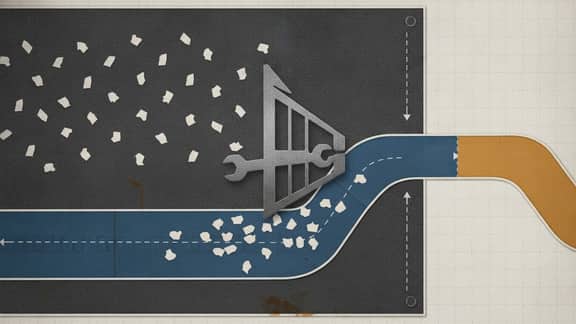
Putting every procedure into the system prompt creates context bloat. The agent carries deployment, testing, documentation, database, release, and support guidance even when the current task needs only one of them.
Progressive disclosure keeps the catalogue lightweight and loads deeper guidance only when relevant. That has two consequences:
- The skill description becomes routing logic. It must state what the skill does and when it applies.
- Supporting resources can be detailed without consuming every conversation's context window.
A vague description is therefore an operational defect. It can cause the skill to remain hidden when needed or load into unrelated work.
What belongs in a useful Cascade Skill
A strong skill normally includes:
- a narrow name and triggering description;
- the procedure and decision boundaries in
SKILL.md; - executable validation or maintenance scripts where repeatability matters;
- templates for expected outputs;
- references that explain domain-specific constraints;
- explicit preconditions and stop conditions;
- the checks that prove the result is ready;
- escalation guidance when the agent lacks authority or evidence.
The documentation uses deployment, code review, and testing as examples. Those are good skill candidates because they are repeated, multi-step, and benefit from supporting files.
Where Cascade Skills fit in the wider agent system
A skill teaches the procedure. It does not automatically grant the capabilities required to perform it.
Cascade can use tools and external connections, including MCP servers. The Cascade MCP documentation covers structured connections to external capabilities. A skill might explain how to use those capabilities safely, but the tool or MCP server remains the action boundary.
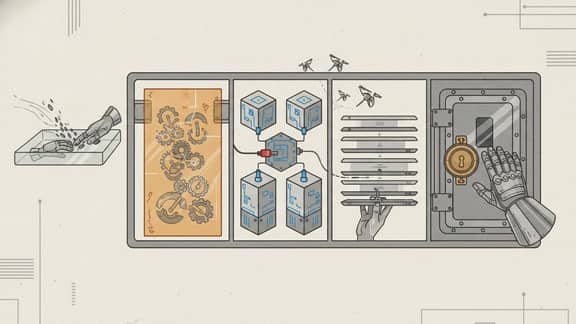
The layers are:
- skill: reusable know-how and resources;
- rule or
AGENTS.md: behaviour and local constraints; - tool or MCP connection: an action or external context boundary;
- agent: the actor that selects, plans, and coordinates;
- owned operation: the durable records, permissions, workflow state, approvals, and audit history around consequential work.
Confusing these layers is how an organisation recreates platform sprawl around its agents.
A reporting example
Consider a monthly KPI reporting operation.
A Cascade Skill could teach an engineering agent how to:
- add a new warehouse connector adapter;
- run connector contract tests;
- validate a metric-definition migration;
- capture deterministic browser evidence;
- package a release and rollback plan.
The skill should not become the authoritative KPI catalogue, reporting calendar, approval record, or published management pack. Those belong in the owned reporting application.
Likewise, the skill can explain how to integrate Snowflake or BigQuery. Credentials, warehouse permissions, query allow-lists, and data access remain enforced by the connected systems and application boundary.
This separation is important: repeatable agent behaviour is valuable, but it is not a system of record.
Governance and security boundaries
Treat skills as executable operating guidance, not harmless documentation.
Review:
- who can add or change workspace, global, and system skills;
- whether supporting scripts can mutate data or deploy software;
- which tools and MCP servers the procedure may call;
- whether untrusted repository content can influence instructions;
- how secrets and credentials remain outside skill files;
- what commands require human approval;
- which tests, diffs, logs, or evidence prove completion;
- how skill versions are reviewed, released, rolled back, and audited.
Committing a workspace skill gives the organisation version history and peer review. It does not make every instruction safe. The agent still needs least privilege, scoped tools, review gates, and a clear stop condition.
How to design a Cascade Skill
Use this sequence:
- Name one repeated job and its intended result.
- Write a precise description that distinguishes it from neighbouring skills.
- Define prerequisites, inputs, authority, and non-goals.
- Put the stable procedure in
SKILL.md. - Add scripts and templates only when they make execution more reliable.
- Keep secrets, environment-specific credentials, and mutable business records elsewhere.
- Define validation and evidence requirements.
- Test automatic and manual invocation against matching and non-matching requests.
- Review the skill like code when it changes consequential behaviour.
Do not create a skill merely to store prose. Use it when the agent needs a repeatable procedure and supporting resources to complete a bounded job.
What teams should avoid
Avoid:
- one giant skill for every engineering task;
- overlapping descriptions that make routing ambiguous;
- scripts with broader authority than the procedure needs;
- credentials or production data inside supporting files;
- treating automatic invocation as approval;
- copying durable business state into instructions;
- publishing a skill with no validation or rollback path;
- assuming portability means identical behaviour across agents and tool environments.
Skills make procedures easier to reuse. They also make weak procedures easier to repeat. Governance must improve with reuse.
The practical takeaway
Windsurf Cascade Skills are evidence that agent platforms are moving beyond giant prompts toward discoverable, resource-backed workflow capabilities.
The useful pattern is:
- keep the skill focused;
- keep its trigger precise;
- keep tools and authority scoped;
- keep durable records in the owning operation;
- keep consequential decisions visible to people;
- keep validation attached to the result.
For the broader vocabulary, read Skills vs tools vs MCP vs agents. For a vendor-neutral design process, continue with How to design an agent skill. For the series anchor, read AI agent skills: the new workflow layer.