This is week three of the SwarmCraft workflow replacement case-study series. Each week is dedicated to completing a workflow replacement project end to end, then showing the finished build, implementation evidence, and what the completed software can actually do.
The workflow is a custom app development workflow for an AI assessment report: a guided intake asks a requester structured questions, source documents are attached, a deterministic rubric scores the answers, a reviewer handles risk, and operations delivers or blocks a source-referenced report.
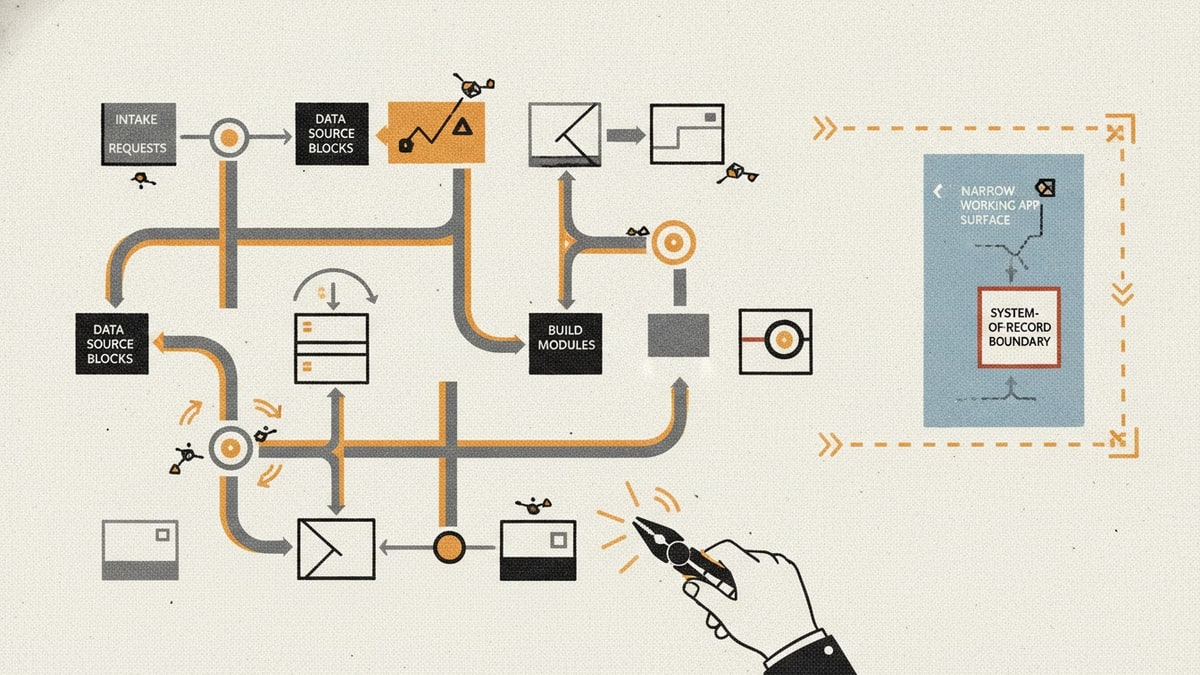
The target is not a full low-code platform. The target is the internal workflow app a knowledge team actually needs when a conversation, source material, judgement call, and final report keep getting stitched together through email, documents, spreadsheets, and manual review.
That boundary matters. Low-code platforms are useful when an enterprise needs broad app delivery, governance, integration, and lifecycle management across many teams. OutSystems, for example, now positions OutSystems AI around building, running, and governing apps and AI agents in one place, with agent workbench, data, governance, and orchestration capabilities. The SwarmCraft question is focused: what does one governed assessment report workflow look like when it becomes owned software instead of another broad platform commitment?
If you want the broader category context first, start with Best low-code platforms. This article is the implementation-led view: what one custom app development workflow looks like when it becomes a working application.
Project stats
| Stat | Week 03 result |
|---|---|
| Implemented tickets | 37 |
| Final board state | 37 done / 0 open |
| Agent requests | 37 |
| Build runner | OpenAI Codex CLI |
| Build-lane runtime | 3h 56m |
| Tracked files | 231 |
| Tracked text lines | 21,589 |
| Test and spec files | 29 |
| Browser evidence screenshots | 10 |
| Blog-ready screenshot crops | 6 |
The useful part is not that an AI agent generated an assessment screen. The useful part is that the agent worked through a 37-ticket custom workflow app project with authentication, persistence, role enforcement, source documents, scoring rules, report generation, human review, handoff history, Playwright evidence, docs, runbooks, and a final board state.
That is the difference between "AI can build an app" and a repo that can be inspected, run, tested, and improved.
The custom app development workflow we built
The finished app handles an AI assessment report workflow with three accountable roles.
| Role | Responsibility |
|---|---|
| Assessment requester | Starts a workspace, answers guided intake prompts, and attaches source documents. |
| Reviewer | Reviews rubric scores, risk flags, source quality, and exception handling before approval. |
| Operations owner | Delivers or blocks the final report, manages handoff state, and inspects audit history. |
The workflow follows a focused assessment model:
- A requester starts a new assessment workspace.
- The app asks the required intake questions and captures structured answers.
- The requester attaches supplied source documents.
- The app presents retrieved evidence and answer references in a source review surface.
- A deterministic rubric scores readiness, evidence quality, human oversight, data handling, and monitoring conditions.
- Risk flags route the assessment to a reviewer before report delivery.
- The reviewer approves with conditions or rejects for remediation.
- Operations delivers the report only when the review state permits it.
- Slack and email handoff attempts are recorded as workflow evidence.
- The report history and security audit trail remain visible after the decision.
That is the difference between a vague AI report generation workflow and a buildable custom workflow app. The chat surface helps gather information, but the product value comes from the owned workflow state around it.
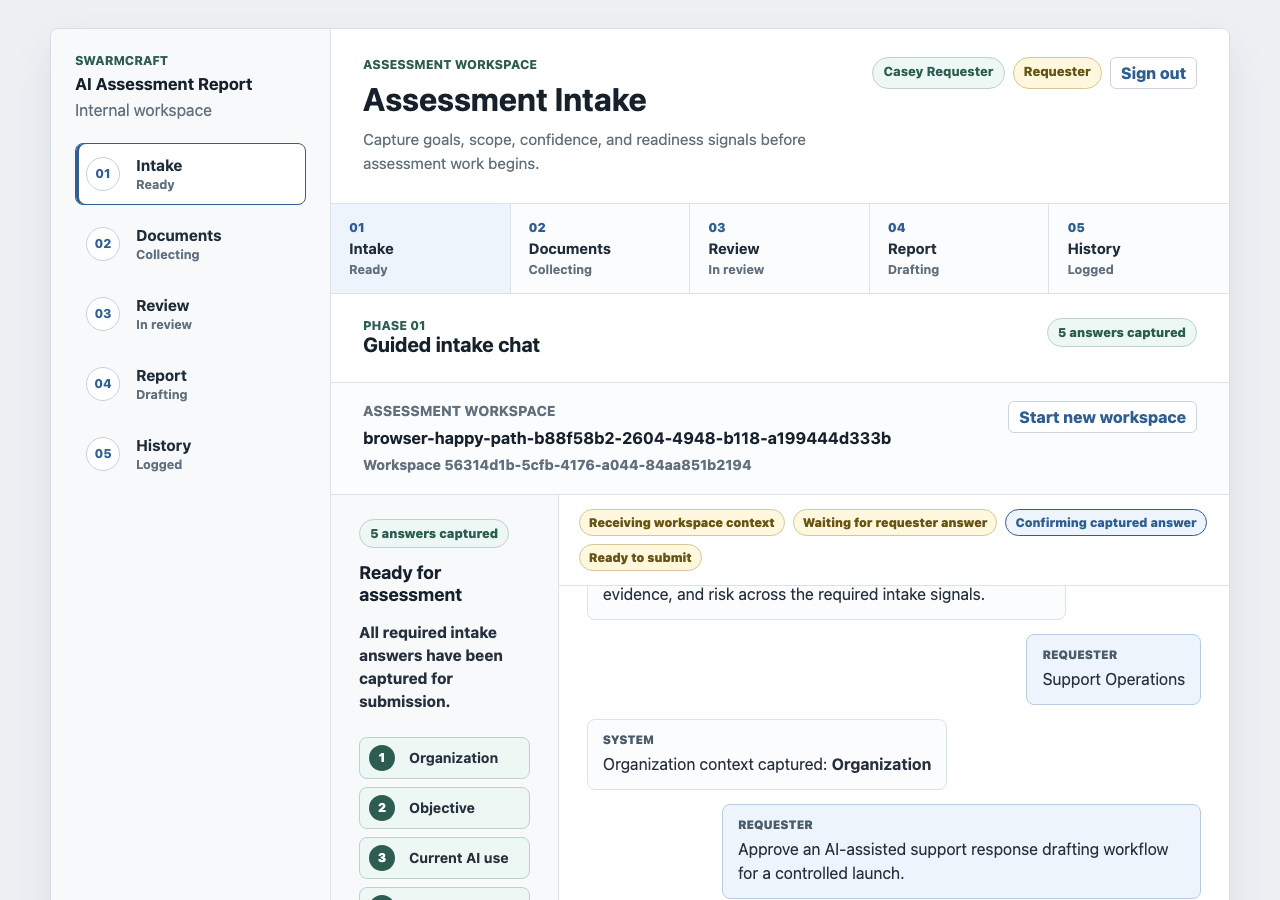
The intake screen is intentionally structured. It still feels conversational, but every answer is mapped to the assessment record. That is what prevents the useful parts of an AI conversation from disappearing into a transcript.
What the custom workflow app includes
The Week 03 build produced a working internal assessment application and API boundary, not just a prototype.
| Area | Implemented capability |
|---|---|
| Intake | Guided assessment workspace, required questions, structured answer capture, and restartable local workflow state. |
| Source documents | File upload, document list, source preview, retrieved evidence cards, and references back to requester answers. |
| Rubric scoring | Deterministic scoring, threshold checks, readiness signals, and risk flags before report delivery. |
| Human review | Reviewer disposition, rationale capture, override with conditions, rejection for remediation, and persistent decision state. |
| Report generation | Source-referenced report, evidence-linked statements, citations, delivery status, and report versions. |
| Handoff | Slack and email delivery surfaces with sent, unavailable, blocked, and retry-state evidence. |
| Audit trail | Security audit history, workflow decisions, report versions, actor context, timestamps, and outcome records. |
| Authentication | Local seeded users, session cookies, role-specific navigation, route protection, and server-side authorization. |
| Operations | Docker Compose PostgreSQL, Flyway migrations, production containers, Kubernetes manifests, health checks, logging, CI gates, and runbooks. |
This is why workflow app development can be a better first step than adopting a full low-code estate. The business is not trying to build every possible internal application. It is trying to own one recurring assessment process that carries source material, judgement, and a report.
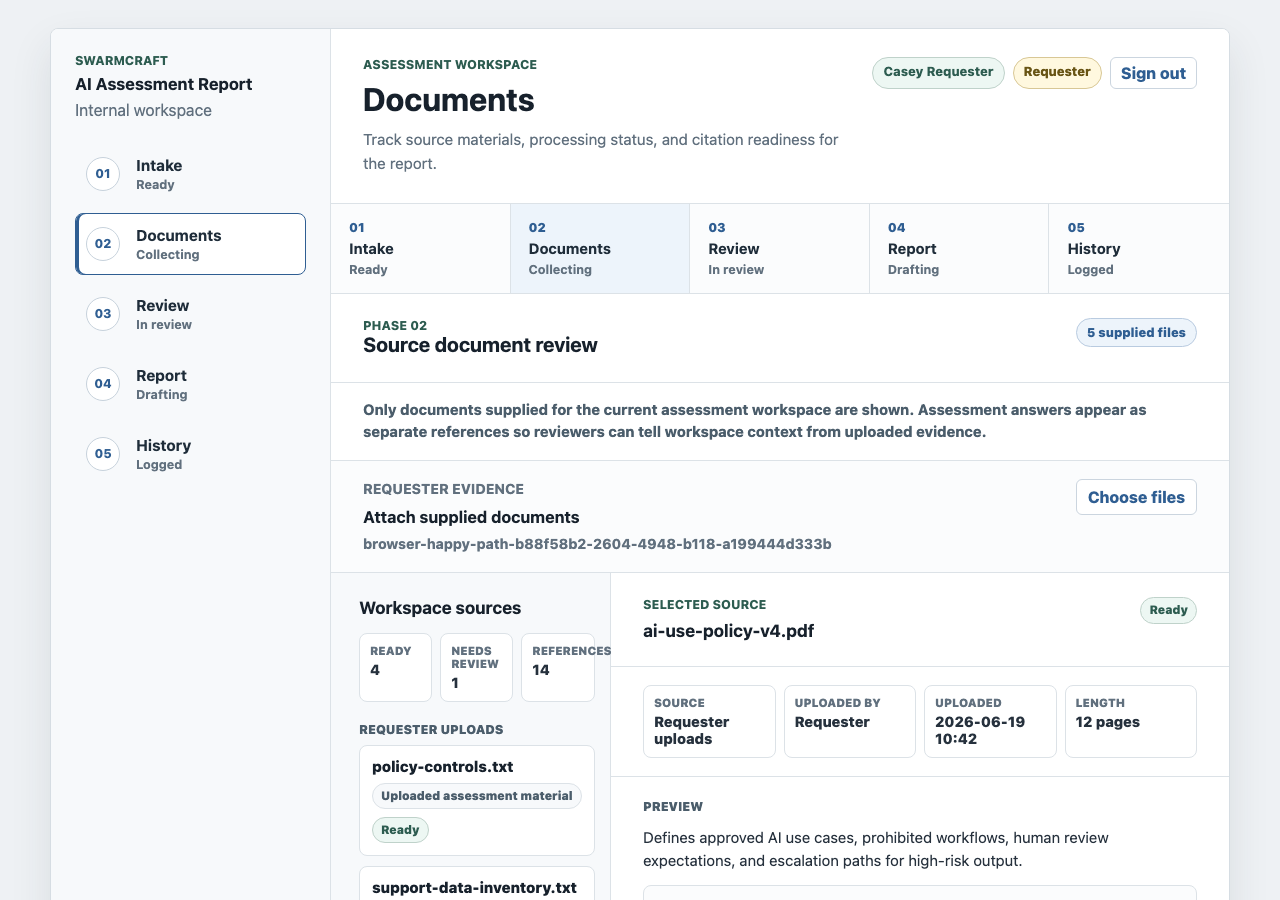
The source document screen is the core proof that this is more than a chat UI. A reviewer can see what was supplied, what was retrieved, and which report references came from uploaded files versus requester answers.
Technology implemented
The repository is a small monorepo with production-style boundaries.
| Layer | Technology |
|---|---|
| Web app | React 19, Vite 7, Playwright browser tests |
| API | Java 21, Spring Boot 3.5, Spring Web, Spring JDBC |
| Database | PostgreSQL 16 with 12 Flyway migrations |
| Local runtime | npm workspaces, Maven, Docker Compose, environment checks |
| CI and release evidence | GitHub Actions, frontend and backend jobs, migration validation, production image packaging |
| Documentation | Architecture notes, feature docs, security docs, testing evidence, deployment, rollback, observability, and release handoff runbooks |
The implementation keeps browser UI in apps/web, workflow rules and persistence in apps/api, database migrations under the API boundary, and deployment ownership in infra. That separation matters later. A future change to rubric thresholds, evidence handling, report copy, reviewer policy, Slack delivery, or audit visibility has a clear place to go.
What the browser evidence proves
The Playwright system tests are not only regression checks. They create screenshots that let a reviewer inspect the workflow in a real browser.
The committed evidence covers:
- guided intake and structured answer capture
- source document upload and citation readiness
- reviewer rubric scoring and risk flags
- report delivery after reviewer approval
- blocked report delivery after reviewer rejection
- report version history and security audit history
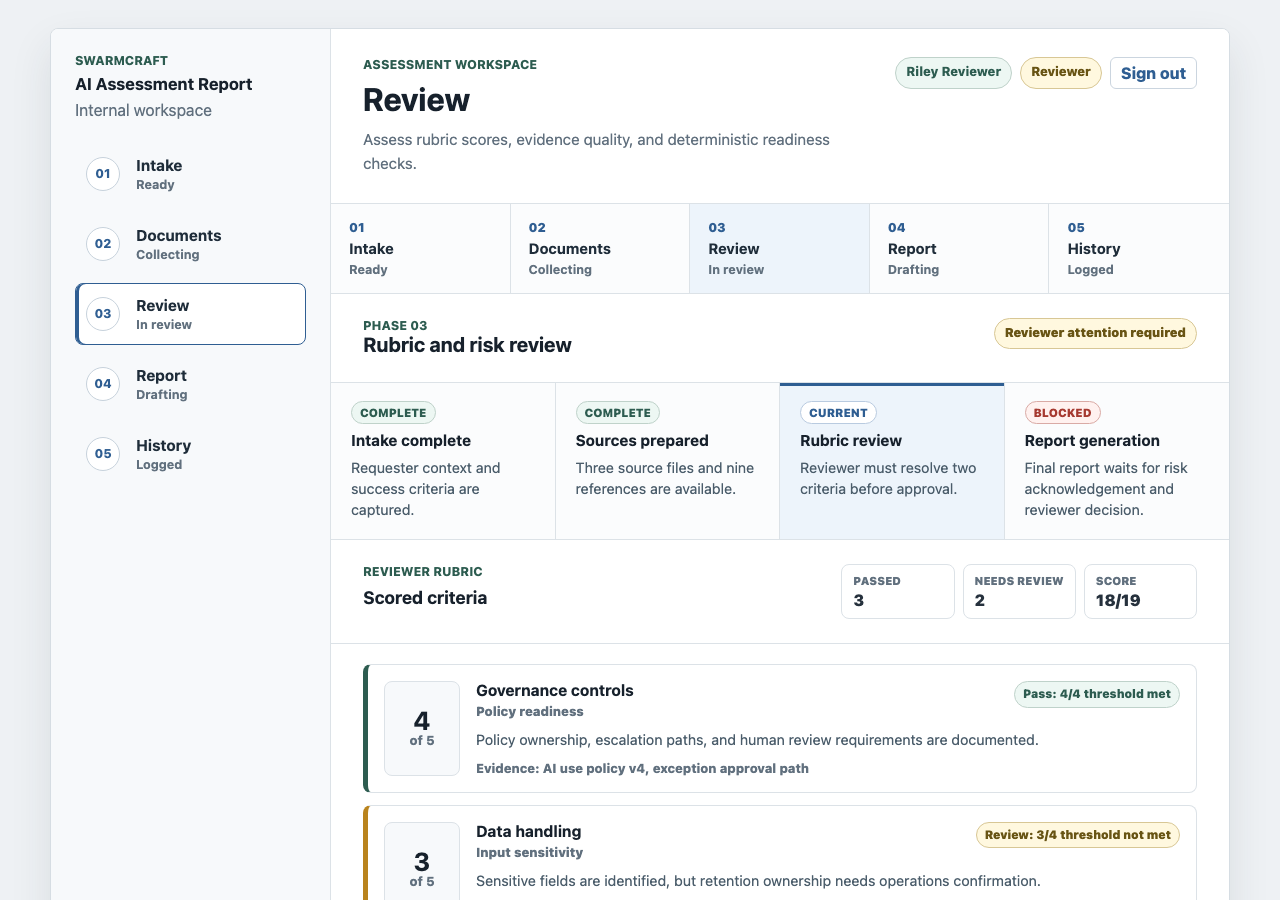
The review screen is the governance surface. It shows that the app is not treating AI output as automatically safe. The report waits until review decisions, risk flags, and threshold failures are visible.
The delivered report screenshot shows the happy path after review.
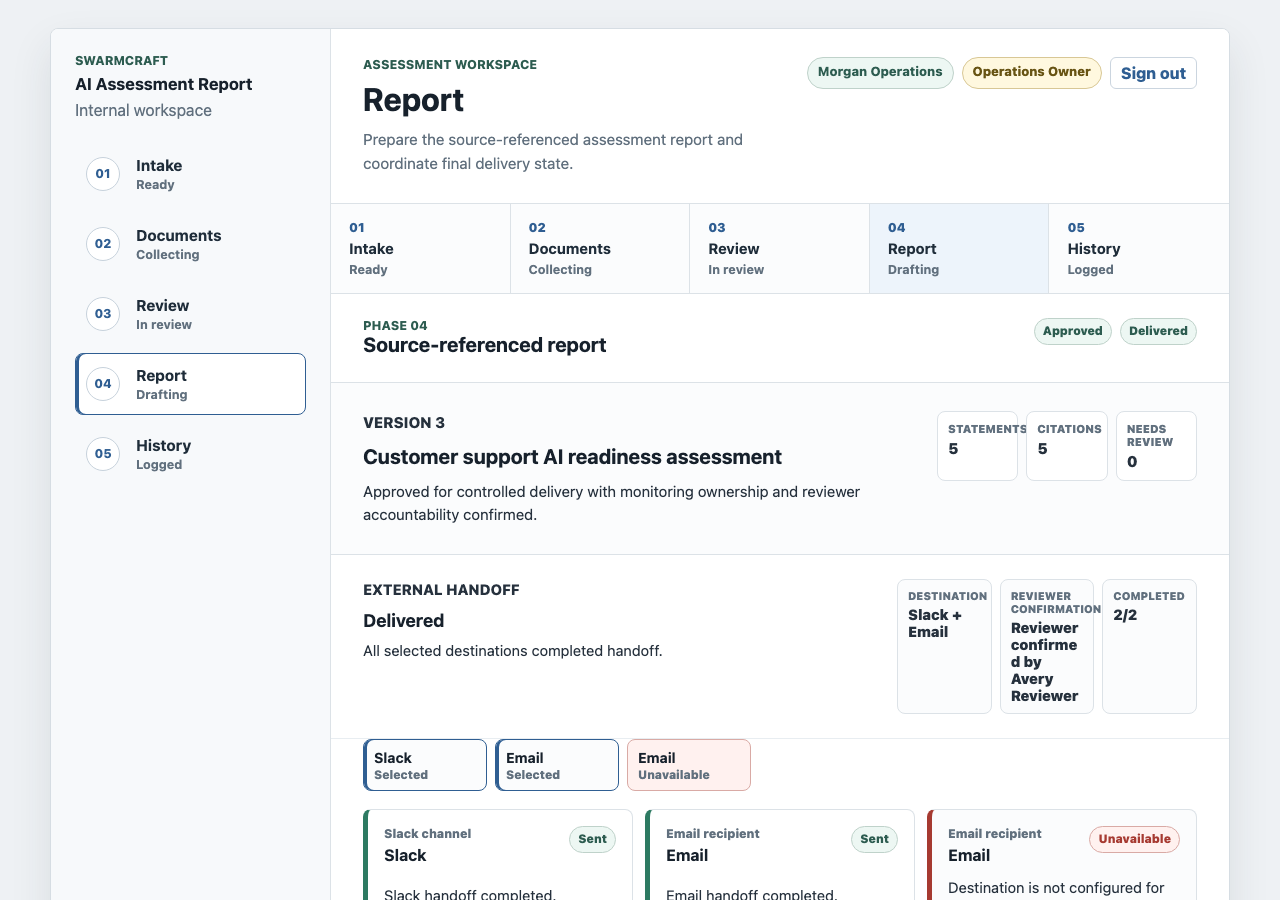
This is the operational value of the custom app development workflow. The report is not just a generated document. It has delivery state, handoff evidence, reviewer confirmation, cited statements, and source references.
The exception path matters just as much.
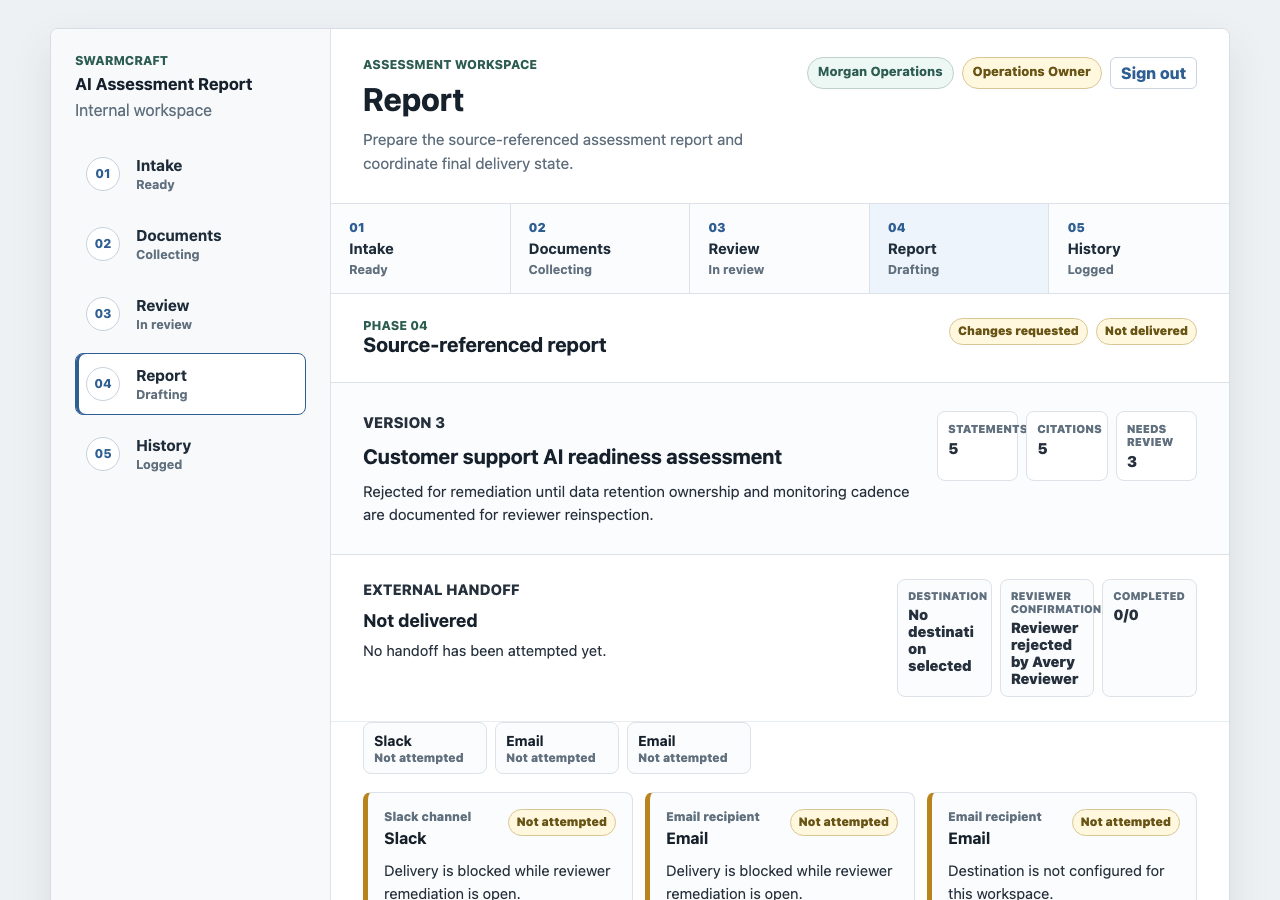
A useful AI assessment workflow needs a safe stop. In this build, operations cannot deliver the report when the reviewer rejects it for remediation. The handoff cards remain visible, but delivery stays blocked and the reason remains inspectable.
How SwarmCraft structured the build
SwarmCraft started by turning the workflow problem into a project board. For this custom app development workflow, that meant 37 tickets covering foundation work, authentication, roles, PostgreSQL persistence, assessment workspace models, document handling, rubric scoring, report generation, reviewer decisions, notification adapters, UI screens, browser system tests, deployment hardening, observability, CI, and operational runbooks.
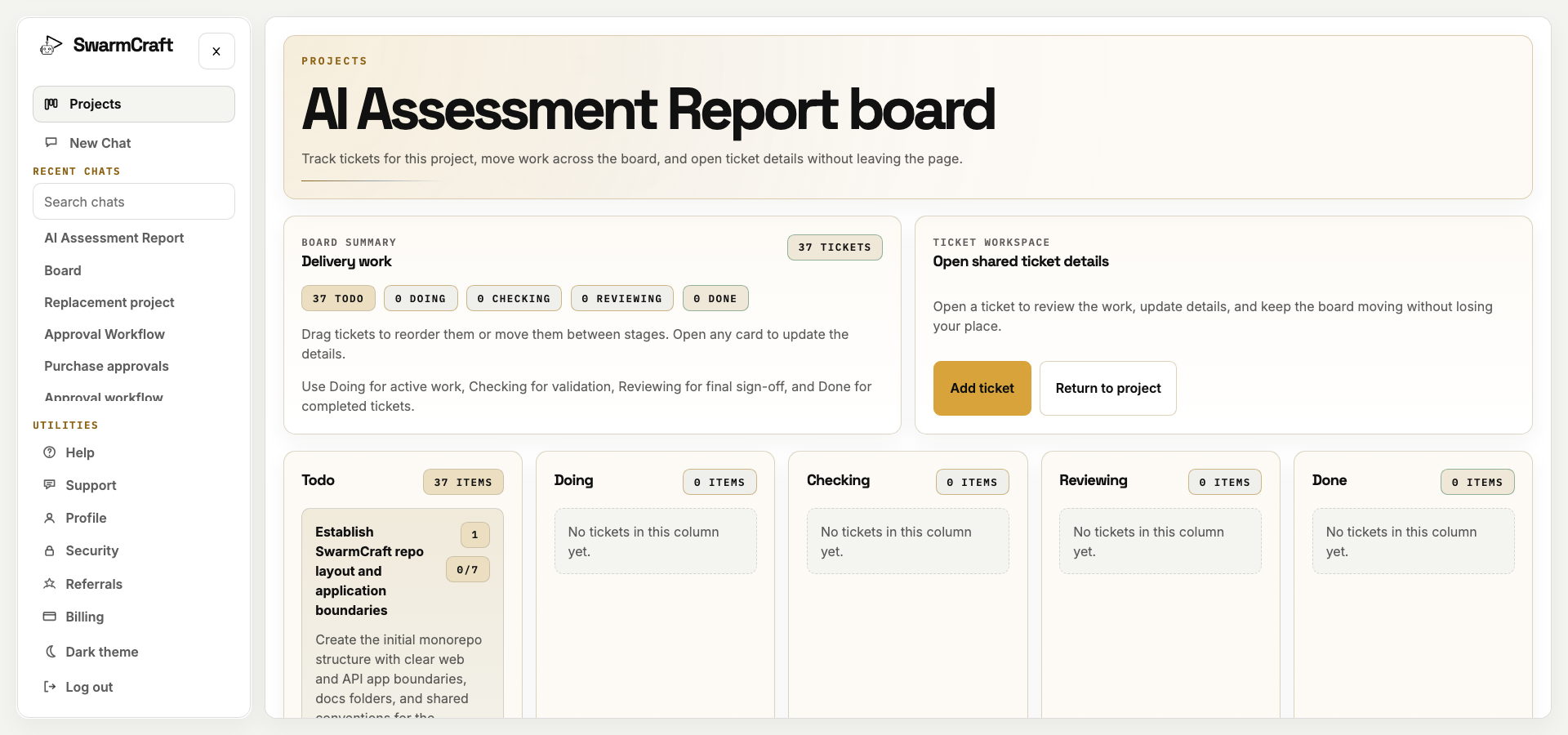
The final run closed all 37 tickets with no open work left on the SwarmCraft board. The build used 37 agent requests against a 60-request cap, and every selected ticket reached Done.
That is the sale for new readers: SwarmCraft is not a generic chat window trying to improvise a product. It is a structured, specialized build system that turns a workflow replacement idea into tickets, implementation packets, validation commands, screenshots, and a repository that can be inspected like ordinary software.
The target repo also matters. It contains app code, tests, migrations, deployment files, documentation, runbooks, and browser evidence. That is the difference between "AI generated a workflow concept" and "AI helped produce an owned internal workflow app."
Why low-code is losing the workflow layer
The old argument for low-code was speed plus governance. A central platform gave teams forms, workflow builders, connectors, deployment controls, permissions, and an approved place to build internal tools without waiting for a full software team.
That argument is getting weaker. AI-assisted development changes the cost of creating a real custom workflow app, while repo-owned delivery gives the business more durable governance than a visual builder can usually provide.
The governance job does not disappear. It just moves to a better layer:
| Low-code platform promise | AI-native owned workflow equivalent |
|---|---|
| Visual workflow builder | Tickets, packets, generated code, and repeatable build instructions. |
| Platform governance | Repo permissions, code review, CI, environment policy, release gates, and audit logs. |
| Reusable components | Shared app patterns, internal libraries, templates, and versioned agent skills. |
| Connector catalogue | Explicit integration adapters with tests, secrets boundaries, and failure handling. |
| App lifecycle management | Git history, migrations, deployment runbooks, rollback paths, and release evidence. |
| Agent governance | Human-in-the-loop review, scoped skills, test evidence, and workflow-specific approval states. |
That is why low-code looks less like the future workflow layer and more like a transitional one. It solved a real problem when building internal software was slow. It becomes harder to justify when an AI-assisted workflow system can produce an owned app with source code, tests, screenshots, audit history, and deployment evidence.
The better question is not "which low-code platform should own this?" It is "which workflow boundary should we own first?"
For this case study, the boundary is clear:
- one AI assessment type
- one report template
- one source review model
- one rubric owner
- one reviewer gate
- one audit history
- one or two handoff channels
- clear business ownership after launch
That is the safe-replacement stance: start with the workflow surface the business understands, then expand from an owned foundation instead of forcing the whole knowledge system into a vendor platform on day one.
For OutSystems specifically, the switching decision should be uncomfortable. If the team only needs a source-backed AI assessment report workflow, buying or extending a broad low-code platform is likely the wrong abstraction. The governance it promises can often be achieved with internal delivery standards, review gates, CI, audit trails, and reusable agent skills instead of another SaaS operating layer.
That is the same pattern described in AI agent skills: the new workflow layer. Skills, packets, and internal governance can package repeatable work without trapping the workflow inside a vendor platform. For vendor-specific context, read OutSystems competitors and Microsoft Power Apps vs custom software.
What this says about AI-built workflow software
The Week 03 result is commercially interesting because the app handles a knowledge-work process, not just a CRUD form.
The agent did not need to invent assessment policy. It needed to turn a clear assessment model into a working business workflow app:
- guided intake questions
- structured answer capture
- supplied source documents
- citation-aware report evidence
- deterministic rubric scoring
- reviewer approval and rejection
- blocked delivery when review fails
- Slack and email handoff evidence
- report history and audit logs
That is the kind of work where AI-assisted custom software becomes practical. The first release has a clear operating boundary, but the pattern is not small. Intake, source review, rubric scoring, human approval, report generation, handoff, and audit history are reusable building blocks for a much broader class of knowledge-work applications. The implementation can be validated through tests and screenshots, and the finished app can be reviewed like any other software project.
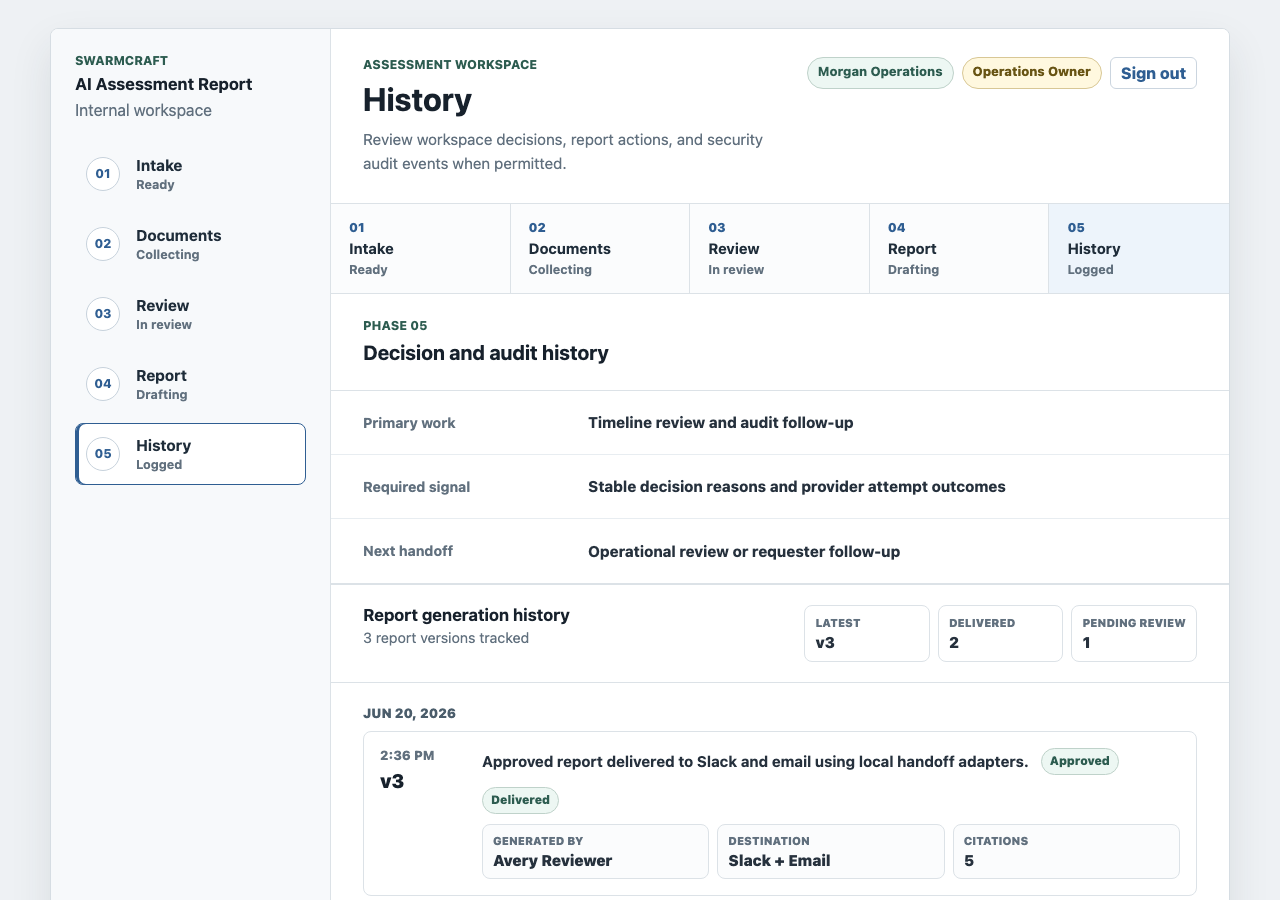
The history screen is important because knowledge-work reports rarely fail because nobody can draft text. They fail because nobody can explain which source was used, who reviewed the output, what changed, and whether the report was actually delivered.
Where this pattern can go next
This case study used an AI assessment report workflow because it is a clean example of knowledge work: gather information, inspect source material, apply judgement, produce a report, and keep the decision trail.
The same custom app development workflow pattern can extend well beyond AI readiness assessments.
| Domain | Possible owned workflow app |
|---|---|
| Law | Matter intake, document review, risk summary, partner approval, client-ready memo. |
| Accounting | Client questionnaire, source document collection, exception review, advisory report, lodgement handoff. |
| Software | Architecture assessment, codebase evidence review, risk scoring, migration plan, technical report. |
| Consulting | Discovery interview, artefact collection, scoring framework, recommendation report, executive handoff. |
| Insurance | Claim evidence intake, coverage assessment, exception routing, decision report, audit trail. |
| Local services | Service request intake, site evidence, triage rubric, approval path, customer handoff. |
The common shape is not "build an AI agent." The common shape is an owned workflow where knowledge, documents, interviews, decisions, and reports need to stay connected.
That is why this is disruptive for knowledge-based businesses. Law, accounting, software, consulting, compliance, and local operations all depend on access to knowledge, gathering information, assessing it, and producing a reliable output. A custom workflow app gives the business a way to own that operating surface instead of forcing every nuanced process into a generic platform model.
What operator-builders should take from week three
Custom app development workflow projects work best when the trigger, source material, structured fields, scoring rules, reviewer gate, report format, and delivery path are already clear.
If those pieces are unclear, AI will only make the ambiguity faster. If they are clear, a custom workflow app can replace a surprising amount of manual coordination without replacing the knowledge systems around it.
The assessment report app from this week is the proof. It shows AI used for a governed assessment report workflow, but the concept is larger than assessment reports. Any knowledge-based business that repeatedly gathers evidence, applies judgement, and produces reports has a candidate workflow.
For readers comparing the broader platform decision, Best low-code platforms, Low-code tool sprawl, Retool vs custom software, Appian vs custom workflow, and OutSystems competitors cover the switching question from different angles. This article is the implementation-led view: what one custom app development workflow looks like when it becomes owned software.