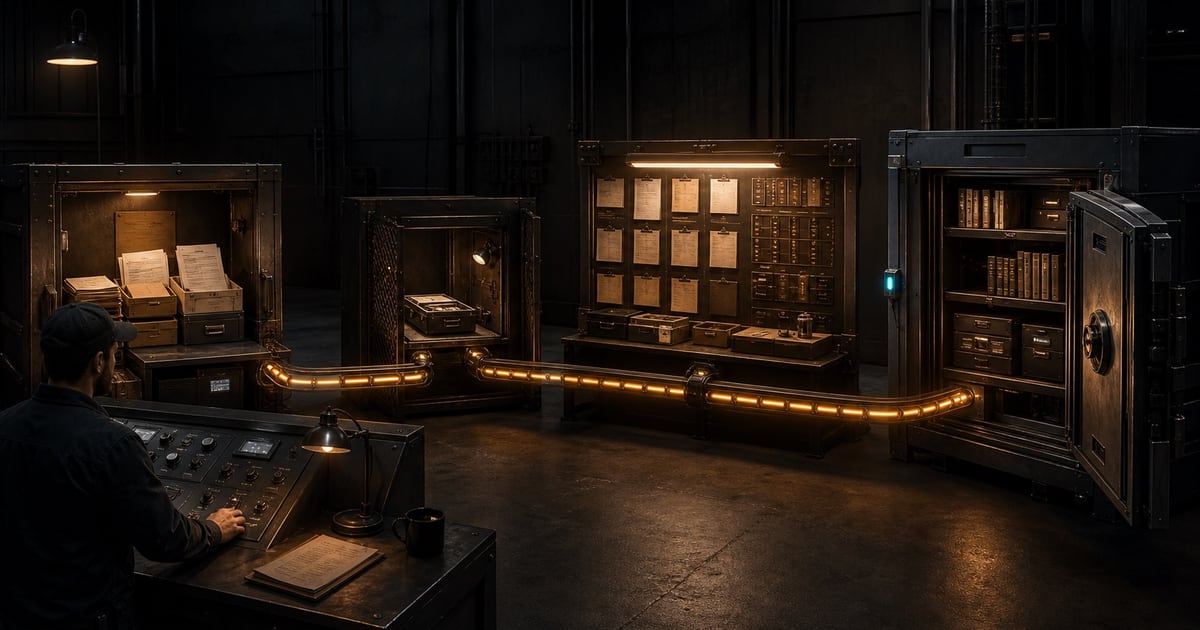
SwarmCraft takes an operation from discovery to owned software through one connected journey. Fast Start and Deep Discovery begin differently, then converge at Project Unlock and use the same project, task board, repository, and delivery loop.
The journey at a glance
- Choose Fast Start or Deep Discovery.
- Define and review the operation and its safe replacement boundary.
- Unlock one project when the path is clear enough to build responsibly.
- Receive the project and its initial task board.
- Connect the source repository you own and control.
- Move tasks through implementation, technical checking, and human review.
- Repeat until the project is complete.
- Deploy through infrastructure you trust.
- Keep owning and evolving the source code without depending on SwarmCraft.
The four public stages are signposts for this sequence: Discovery covers choosing a route and defining the boundary; Unlock is the commercial handoff; Project creates the board and connects it to the repository; Develop covers implementation, review, deployment, and continued ownership.
Keep the two workflows distinct
The customer operation is the business capability you are replacing or developing: for example, supplier approval, client onboarding, or internal reporting. Discovery defines what that operation needs to do, which records it owns or keeps elsewhere, and how the business will migrate and operate it safely.
The SwarmCraft delivery workflow is how you build that software. It organizes implementation into tasks that move across the project board. The delivery workflow supports the customer operation; it is not the operation itself.
1. Choose the right discovery depth
Use Fast Start when a focused guided conversation can establish a trustworthy workflow and existing system-of-record boundary. Use Deep Discovery when sources, owner interviews, record ownership, exceptions, controls, or migration choices need structured investigation.
If you are unsure, start with Choose Fast Start or Deep Discovery. Choose the least discovery depth that can establish a responsible boundary, not the route that sounds larger.
Owner review: decide which route fits and identify the accountable operator for the operation.
2. Define and approve the operation
Fast Start gathers a concise handoff and asks you to confirm the summary. It keeps the existing system of record in place.
Deep Discovery gathers local sources and interviews, then asks you to review the discovery documents and preview the exact package before authorizing upload. It can examine bounded record ownership when the evidence, migration risk, continuity, and operating responsibility support it.
Owner review: confirm the desired outcome, included workflows, records, dependencies, constraints, excluded scope, migration assumptions, and unresolved risks. Do not unlock a boundary you do not understand.
3. Unlock one project
Both routes use the same Project Unlock rules. Fast Start continues from its confirmed handoff through Create a project from Fast Start. Deep Discovery continues from its reviewed package through Unlock a Deep Discovery project.
Project Unlock is the deliberate handoff from reviewed definition to private project generation. It creates one project and its initial task board; it is not a subscription or a commitment to replace everything discovered.
Owner review: check the exact handoff or Discovery Package, the displayed unlock terms, and whether the proposed first release is safe and practical.
4. Receive the project and initial board
The generated project turns the reviewed operation into delivery context and an initial set of implementation tasks. The task board is the source of truth for delivery state, not a second requirements system.
Read Use the project board before moving work. It explains the task cards and the Todo, Doing, Checking, Reviewing, and Done lanes.
5. Connect the repository you own
Choose or create a source repository controlled by your business, then connect SwarmCraft to the project. The VS Code extension places working packets under .swarmcraft/projects/ so the task goal, checklist, notes, agent update, and lane stay beside the code.
SwarmCraft does not require the finished source to live in a vendor-owned repository. Your repository is the durable handoff and the basis for future maintenance, review, and portability.
Owner review: confirm the correct repository, workspace folder, access controls, branch and review practices, and the people responsible for it after delivery.
6. Move tasks through the delivery loop
For interactive work, use SwarmCraft in VS Code. A task normally moves Todo → Doing → Checking → Reviewing → Done, with failed checks or requested changes returning it to the appropriate earlier lane. For a controlled terminal-run setup, run one-shot with the CLI.
Keep each move honest. Implementation changes the source, checking gathers technical evidence, and reviewing helps a person understand and approve the result. The final move to Done remains a human decision.
7. Review, complete, and repeat
Review and apply generated changes before accepting them. Read the task goal, changed files, validation evidence, risks, and remaining decisions. Ask the AI assistant to explain anything you do not understand.
Complete one task, then take the next task from the board. Repeat the delivery loop until the agreed first-release boundary is complete. New evidence can create new tasks, but it should not silently expand the project.
Owner review: approve only changes you understand, require evidence proportionate to risk, and decide whether feedback returns the task to implementation or whether it is ready for Done.
8. Deploy through trusted infrastructure
Prepare the app for deployment, then deploy it through the runtime path your business trusts. SwarmCraft does not take over production infrastructure, secrets, release approval, monitoring, support, or rollback responsibility.
Owner review: approve the release, verify configuration and secrets, test the operation rather than only the startup health check, and retain a credible rollback or recovery path.
9. Keep owning and evolving the result
The journey finishes with source code in your repository, a task and review history, and an operator who can explain what was built. Continue using the same repository and delivery practices with SwarmCraft, another AI assistant, an internal team, or a different supplier.
That is the product promise: SwarmCraft should leave your company more capable, with the ownership and understanding needed to keep evolving the software after the initial project is complete.